Exporting and importing code
The application works with 128-byte transceiver code segments stored as binary files or encoded in Intel HEX format.
Import
Binary files
Use File - Open or drag a file into the application window to load code into the editor.
HEX string
The application can import a HEX string containing uppercase A–F and the digits 0–9.
The string must not exceed 256 characters, which is the hexadecimal representation of 128 bytes.
File - Import - HEX String
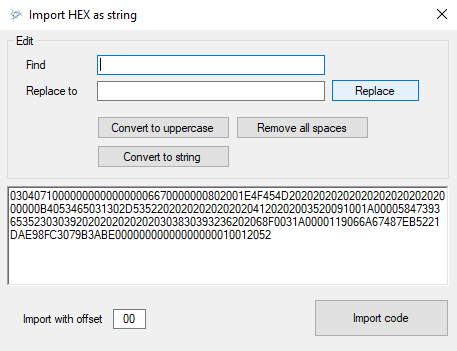
Paste the HEX code into the import window.
Use the available tools to format the code: remove extra spaces, convert letters to uppercase and remove line breaks.
Click Import code to transfer the data to the editor.
Export
To save the code from the editor to a file, use the menu: File - Save as...
The application supports exporting code to additional file formats through the menu File - Export.